L o a d i n g
Our Features

Powerful Features to
Simplify Your Work Every Day

Drag & Drop Builder

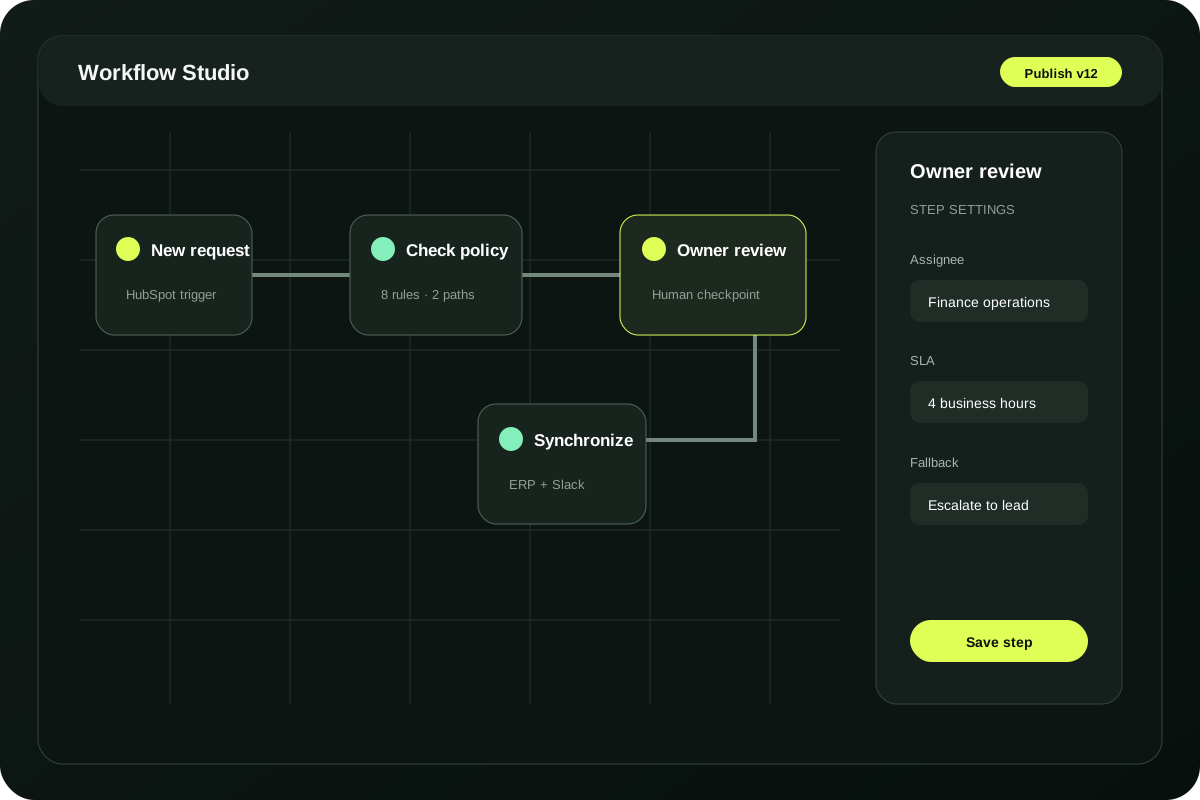
Compose reliable workflows on a visual canvas your operators can actually read.

Multi-App Integrations

Connect CRM, finance, support, messaging, and data tools through one governed layer.

Smart Triggers & Conditions

Express branches, approvals, timeouts, and fallbacks without burying the business logic.

Real-Time Monitoring

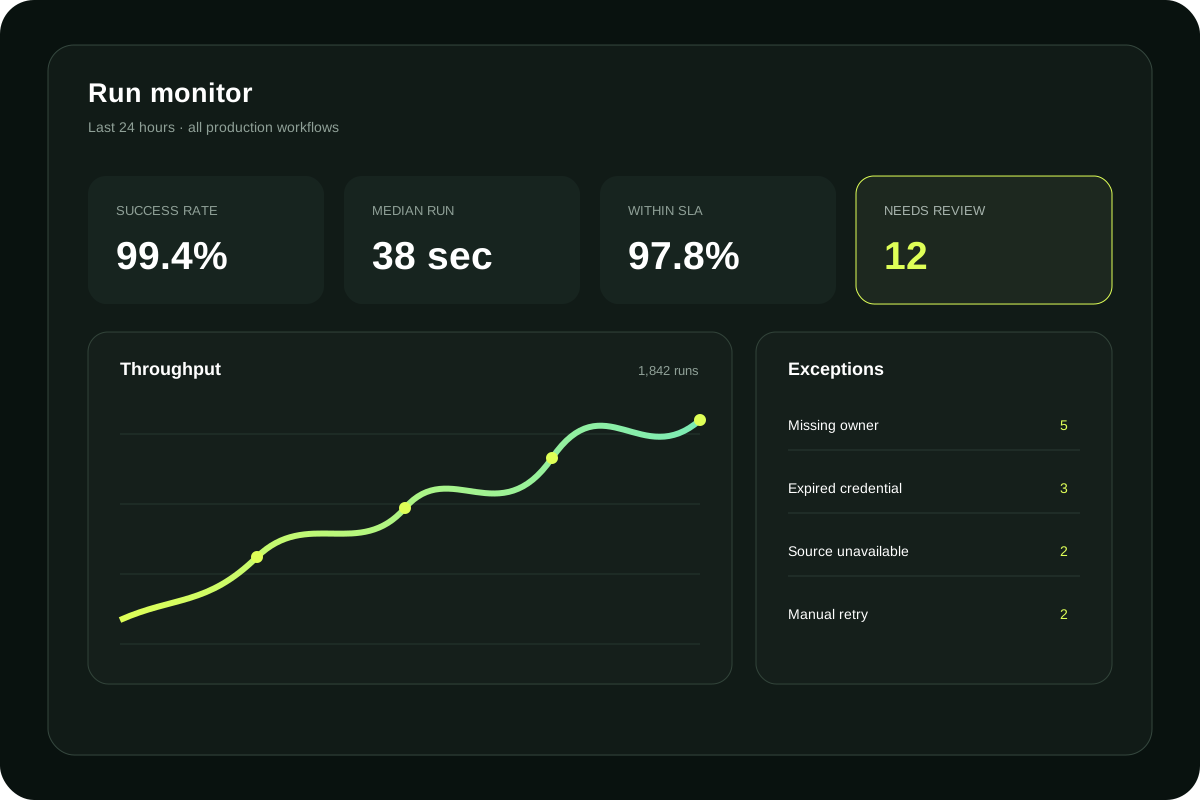
Trace every run in real time and move exceptions to the right owner before work stalls.
Pulsegrid visual workflow builder
One control layer, shaped for the teams who run the business
OperationsRevenueFinanceCustomer successPeopleIT
Automation

Build Smarter
Workflows in Minutes

Turn the repetitive work between systems into a clear, observable operating flow.
Move requests from intake to assignment, review, and delivery with ownership at every step.
Qualify, route, and enrich opportunities while keeping sales judgment where it belongs.
Resolve routine requests automatically and surface the conversations that need a person.
Program Plans

Start with one accountable workflow.
Scale only when it proves itself.

Operating Scenarios

What Dependable Automation
Looks Like

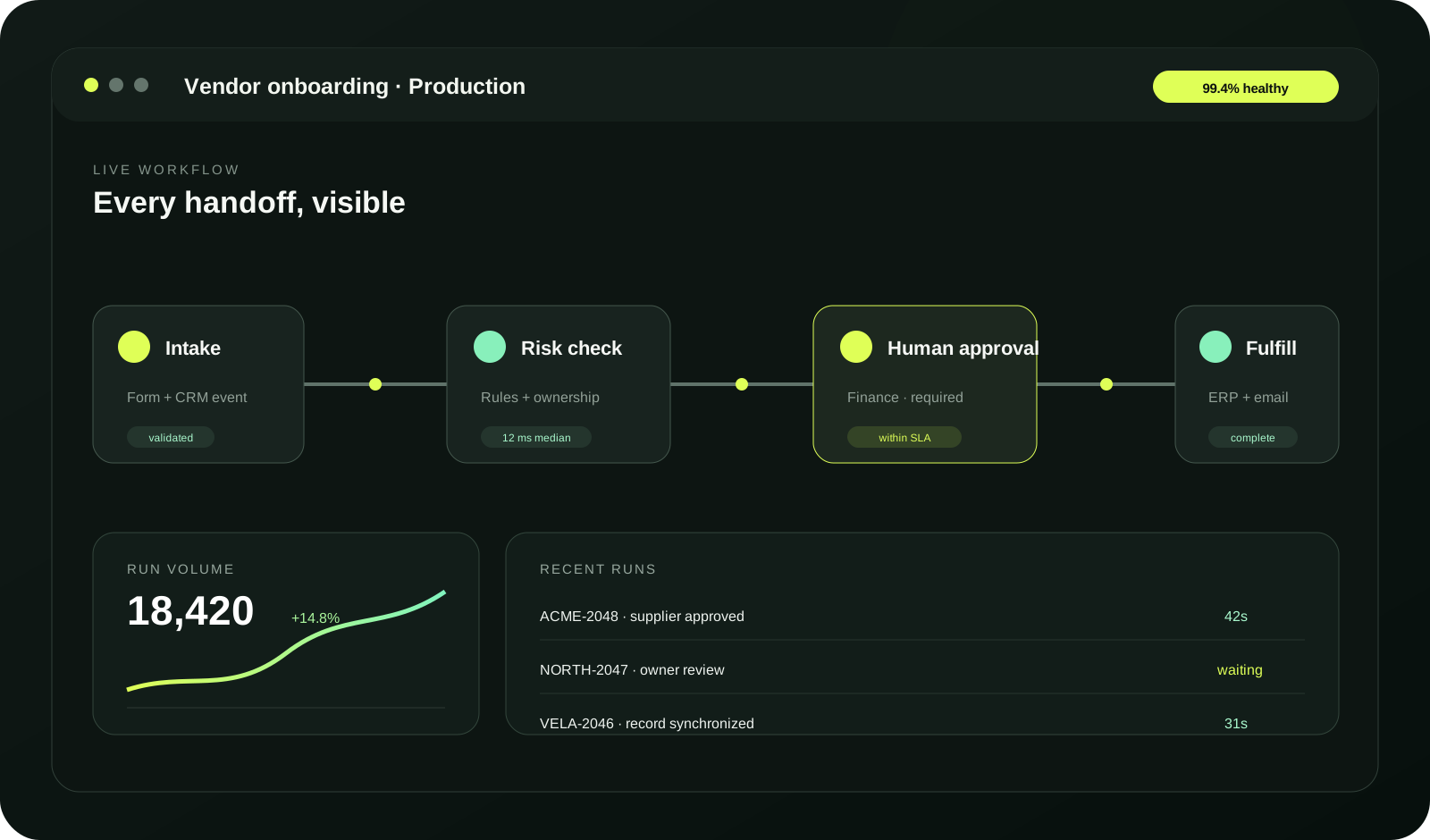
Pulsegrid workflow run monitor with accountable exception routing
A marketplace operations team routes new suppliers through risk, finance, and catalog review while every owner sees the same status.
A revenue team enriches inbound demand, preserves territory rules, and sends only genuine exceptions to an operator.
A customer-success team turns renewal signals into accountable playbooks without losing the context behind each intervention.
Our Benefits

The Benefits of Smarter
Workflow Automation

Save Hours Every Week

Return meaningful hours to the team without removing human control from the process.
Image

Live

Image

Fewer Manual Handoffs

Routine transitions move immediately while accountable owners keep control.

Clear

Image

Visible Ownership

Every waiting decision has a clear owner and service level.

Workflows Automated

A complete event trail makes improvement measurable and recovery deliberate.
Logo Logo Logo Logo
Every run
How It Works

Simple Setup, Powerful
Performance

01
Step 1

Connect Your Apps

Connect the systems that already carry the work, then validate permissions and ownership.
02
Step 2

Set Your Triggers

Choose a precise business event and document the conditions that make it actionable.
One
Control
plane
Pulsegrid visual workflow canvas
03
Step 3

Choose Your Actions

Add system actions, accountable approvals, exception routes, and a safe recovery path.
04
Step 4

Automate & Run

Launch with live monitoring, review the evidence, and improve from actual run data.

Control is designed into every run

01

Human checkpoints

Keep accountable owners inside the decisions that carry risk.

02

Run-level evidence

See inputs, decisions, retries, and outcomes without chasing logs.

03

Safe recovery

Route exceptions, retry deliberately, and resume without duplicate work.

FAQS

Frequently Asked
Questions

Still have a question?

Start with the workflow your team feels every week; expand only after the evidence is clear.
Talk to a specialist
  • Can Pulsegrid work with our existing systems?
    Yes. Pulsegrid is built around APIs, webhooks, databases, and human tasks, with guarded fallbacks for older systems.
  • Do we need to automate an entire department?
    No. A focused pilot can start with one accountable team and expand after the workflow proves its value.
  • How do operators investigate a failed run?
    Every production run carries an owner, event history, decision trace, and retry path for operational review.
  • What does a first rollout look like?
    Most teams begin by mapping one workflow, validating access, testing edge cases, and launching behind clear controls.